Improving ASP.NET MVC
            Application Performance
                          Steve Smith
                        The Code Project
                  SteveSmithBlog.com | @ardalis


www.mvcConf.com
Defining Performance Metrics
• Page Execution Time
• Requests/Sec
• TTLB


 www.mvcConf.com
Defining Performance
                       Requirements
• A given web request (/Home/Index)
• Must return within a given time (TTLB or
  Page Execution Time)
• Under a given load (Requests/Sec + Active
  Users)
• Given system characteristics (50k records)
• Resource constraints (< 400 database
  server requests/sec)
 www.mvcConf.com
Performance Requirement
• /Home/Index
• Must return within 1s Page Execution
  Time
• Given 100 request/sec and base database
• With < 200 database requests/sec


 www.mvcConf.com
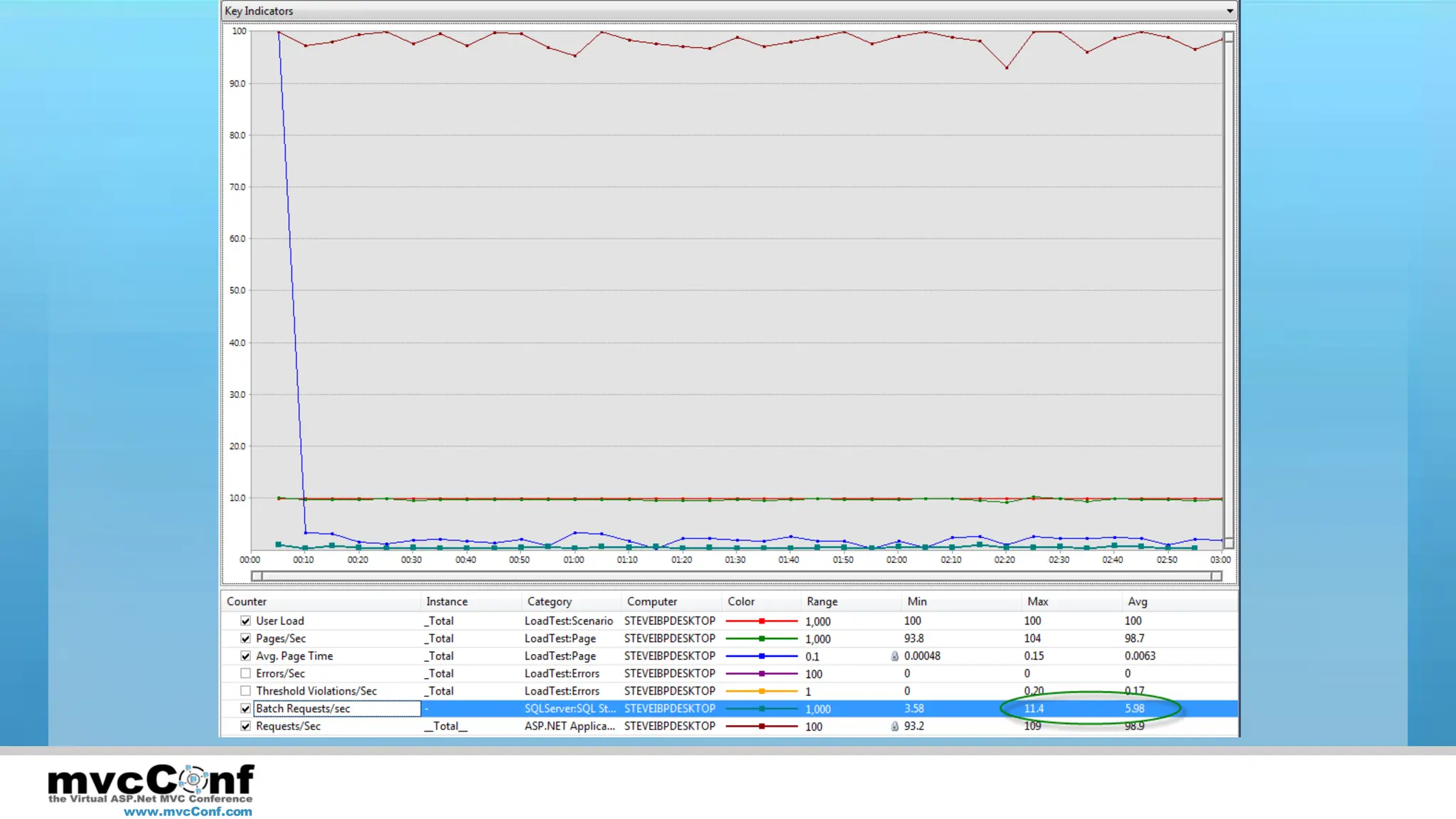
Measure Baseline
•     Record the Scenario
•     Set up the Load Test
•     Run the Test
•     Analyze the Results


    www.mvcConf.com
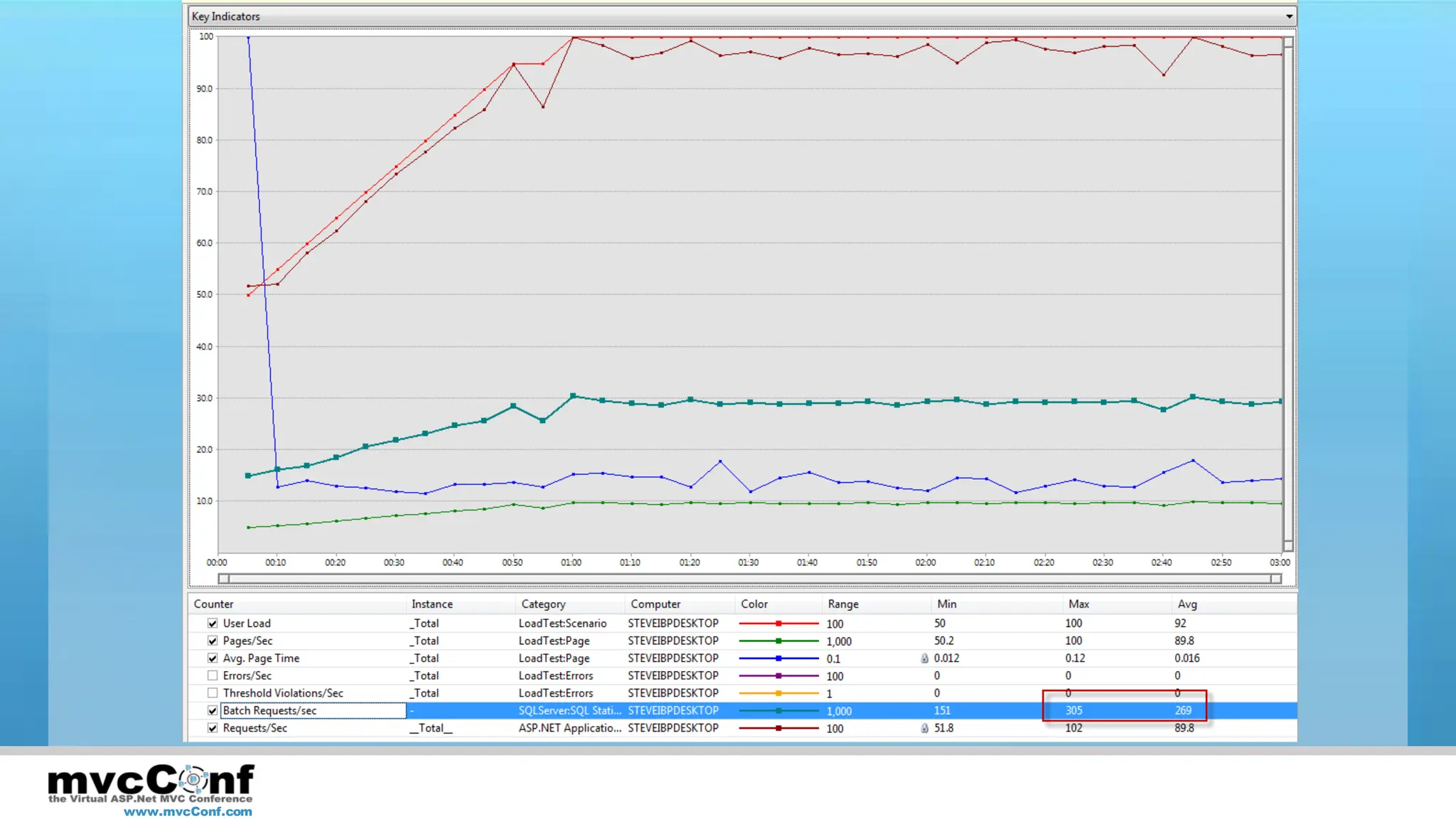
Baseline Measurement: MVC Music Store

DEMO

www.mvcConf.com
www.mvcConf.com
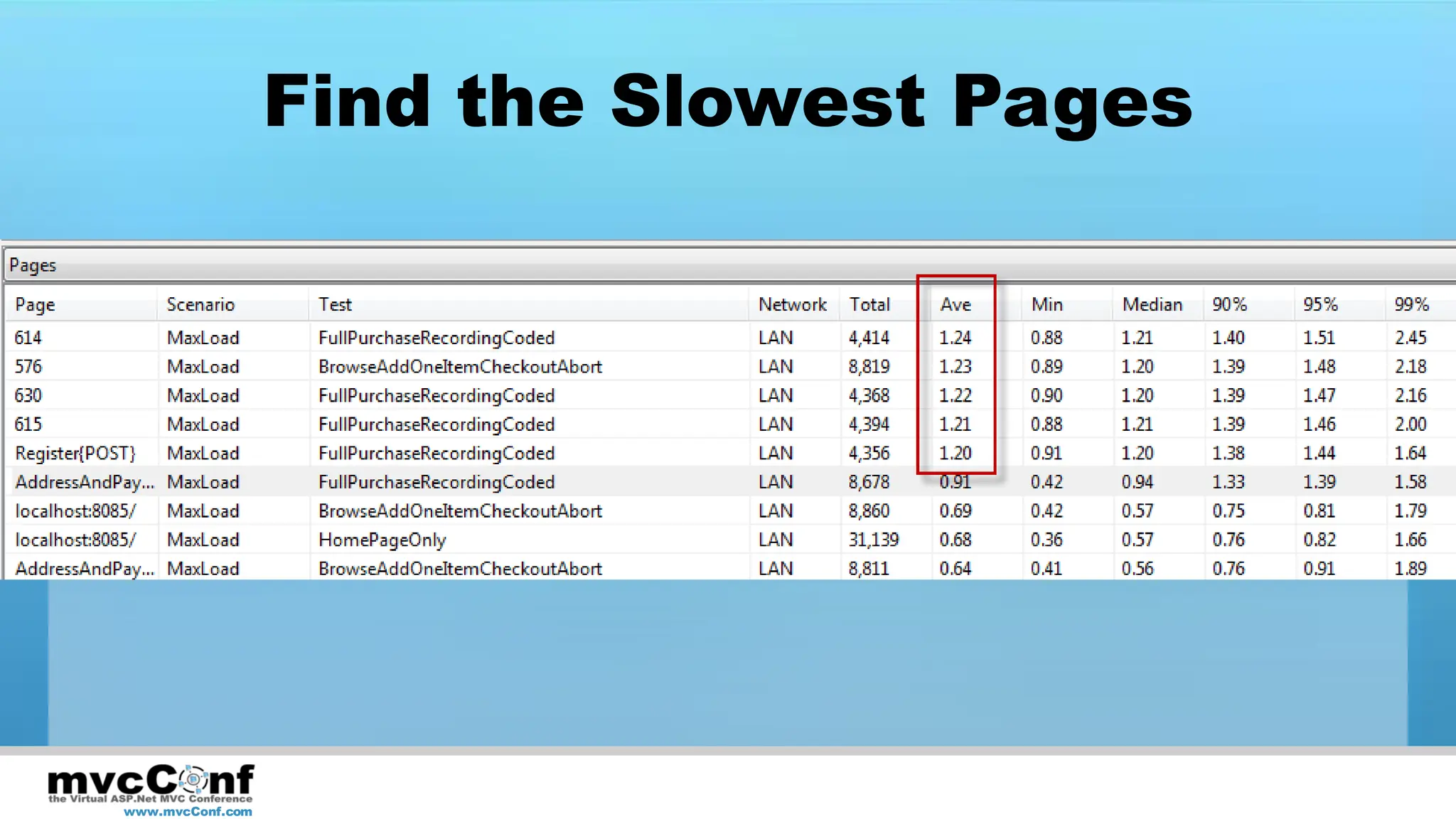
Find the Slowest Pages


www.mvcConf.com
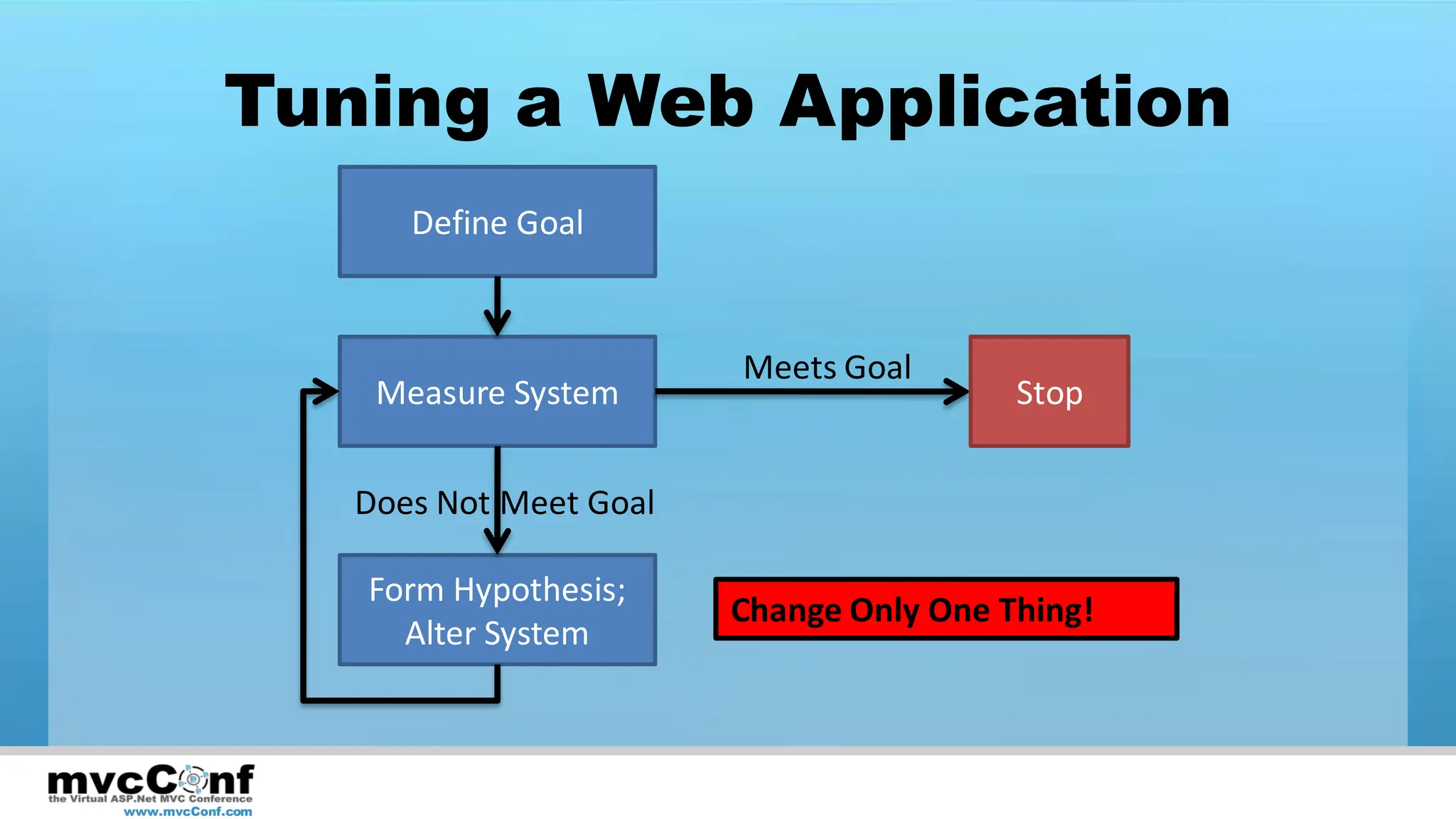
Tuning a Web Application
                     Define Goal


                                       Meets Goal
                   Measure System                       Stop


                  Does Not Meet Goal

                  Form Hypothesis;
                                       Change Only One Thing!
                    Alter System


www.mvcConf.com
Most Common Performance
               Problems
• Database
     – Too many queries
     – Queries Not Optimized
• Network Requests
     – From Server to Services
     – From Browser to Web Server

 www.mvcConf.com
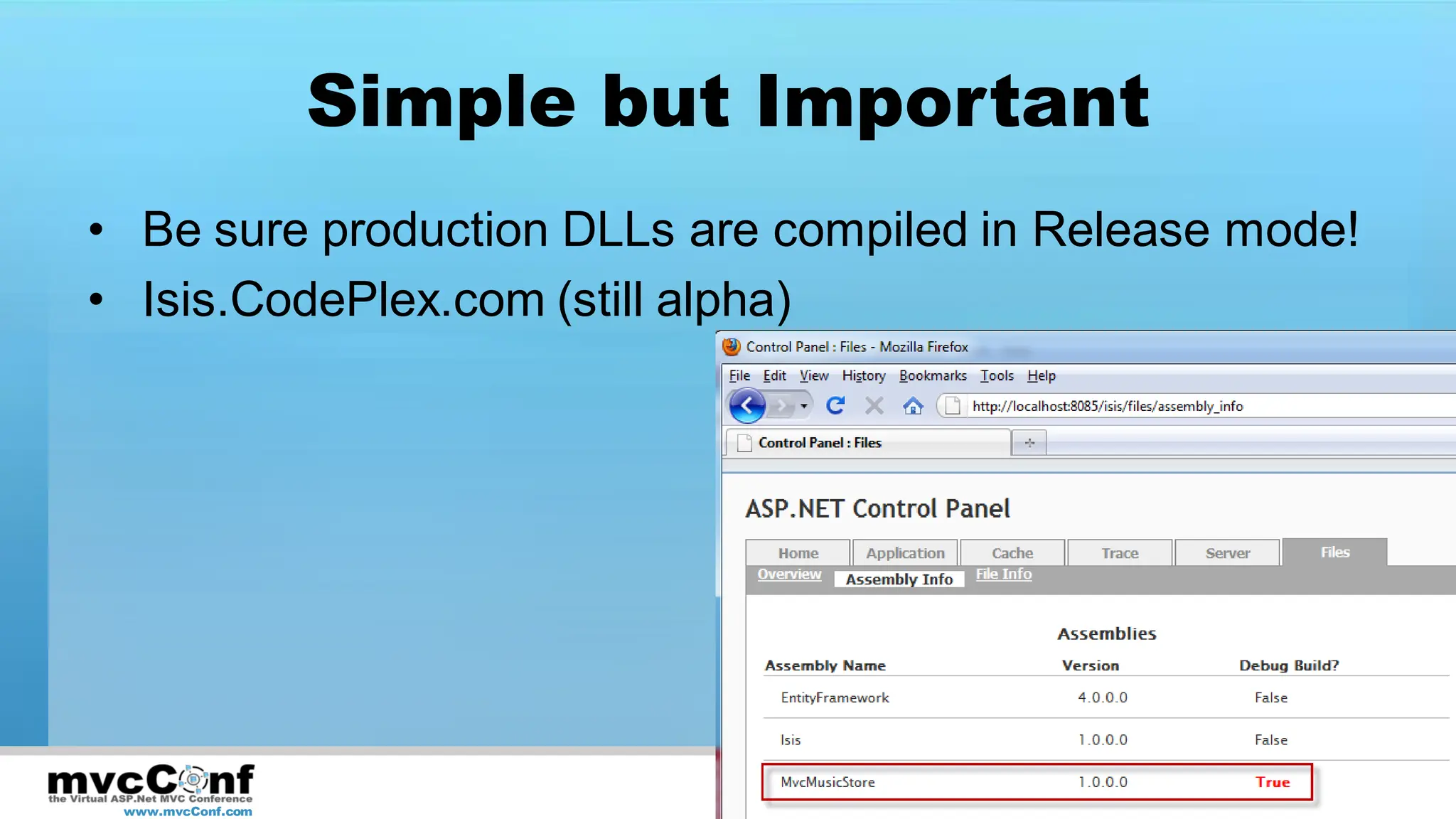
Simple but Important
• Be sure production DLLs are compiled in Release mode!
• Isis.CodePlex.com (still alpha)


 www.mvcConf.com
Caching
• Output Caching
     – [OutputCache] attribute
     – Applies to
             • Action methods within Controller
             • Or Entire Controller


 www.mvcConf.com
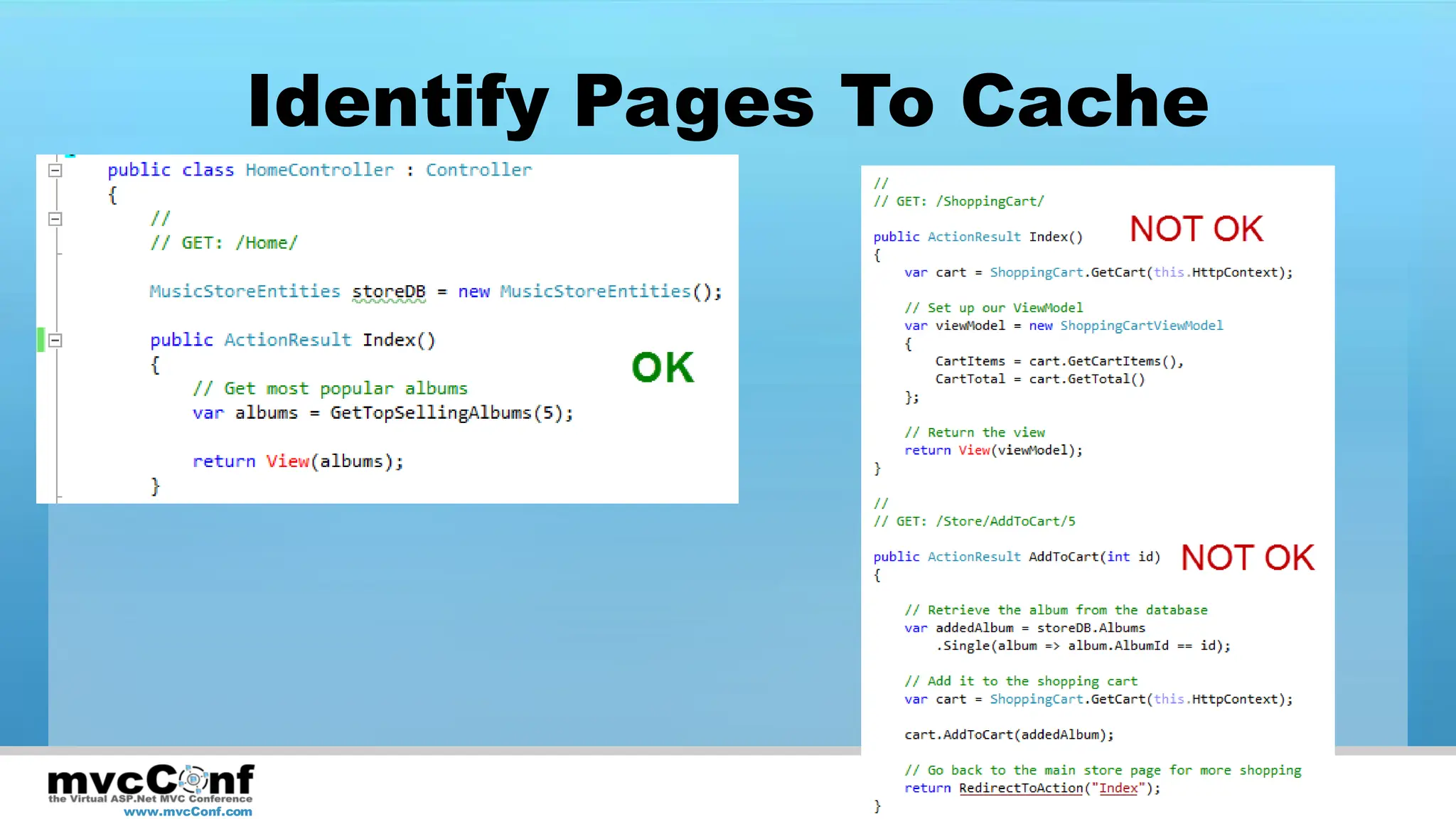
Identify Pages To Cache


www.mvcConf.com
Applying Output Caching

DEMO

www.mvcConf.com
www.mvcConf.com
Add Data Caching
•     Apply to Read operations
•     Use where Output Caching can’t be used
•     Consider applying at Repository level
•     Consider using Sql Cache Invalidation or
      short cache duration


    www.mvcConf.com
What About Writes?
• Avoid blocking on writes
     – Send messages
     – Use Async calls on server
     – Use Async/Ajax calls from client

• Logically partition reads and writes
     – Command Query Responsibility Separation
       (CQRS)

 www.mvcConf.com
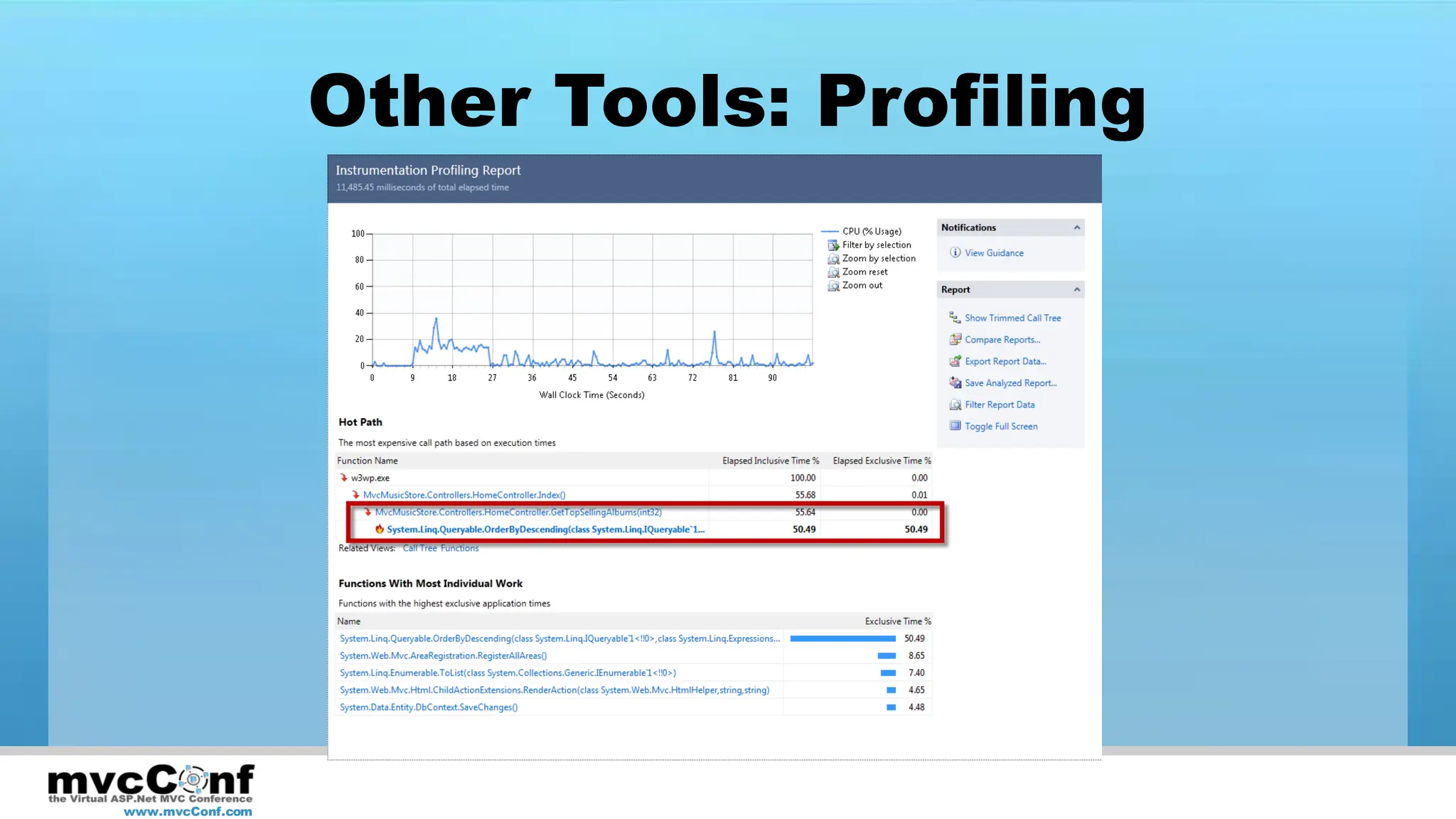
Other Tools: Profiling


www.mvcConf.com
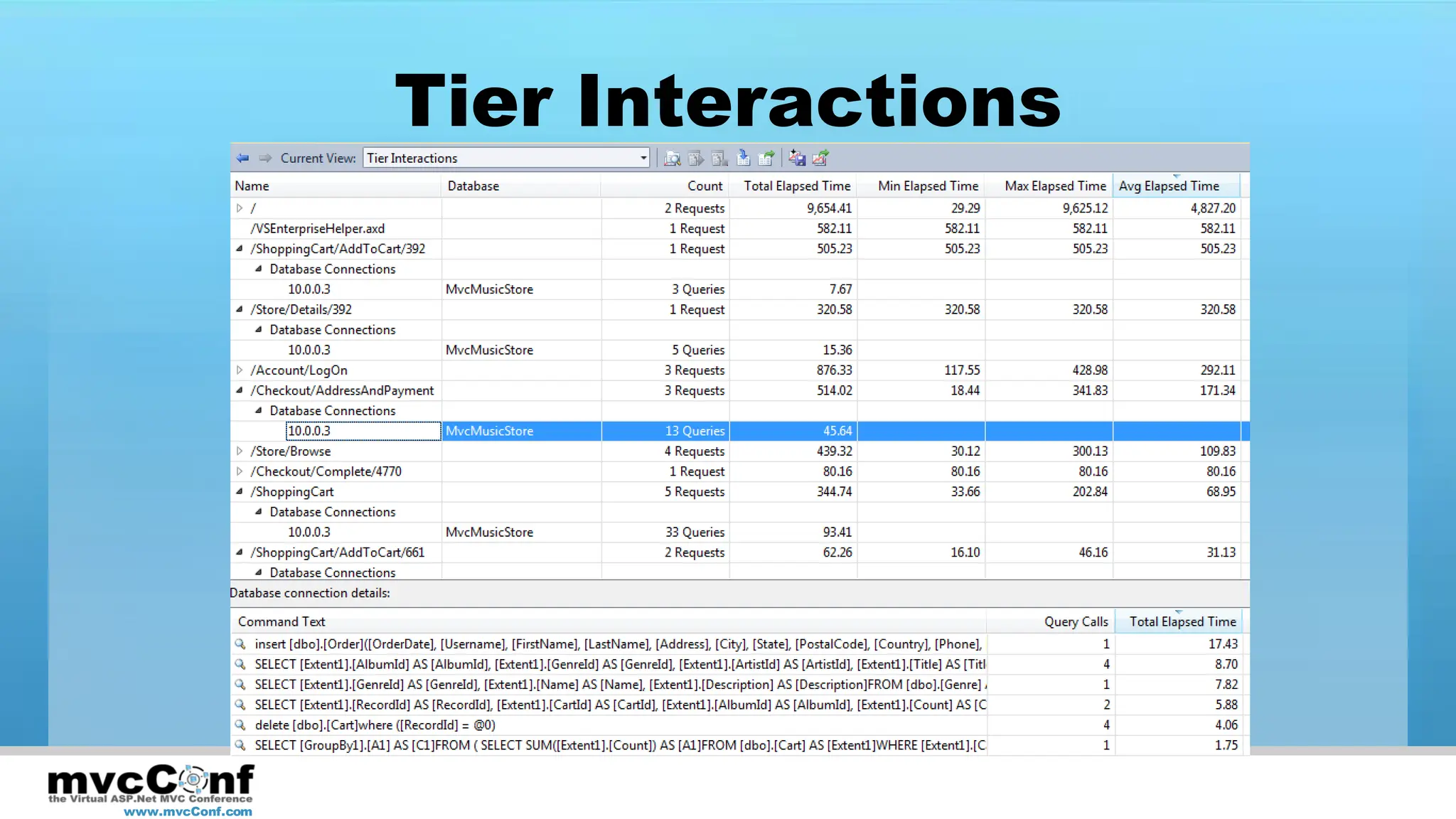
Tier Interactions


www.mvcConf.com
What about Async?
• Async Actions
• AsyncController

• Improves scalability
• May improve performance

 www.mvcConf.com
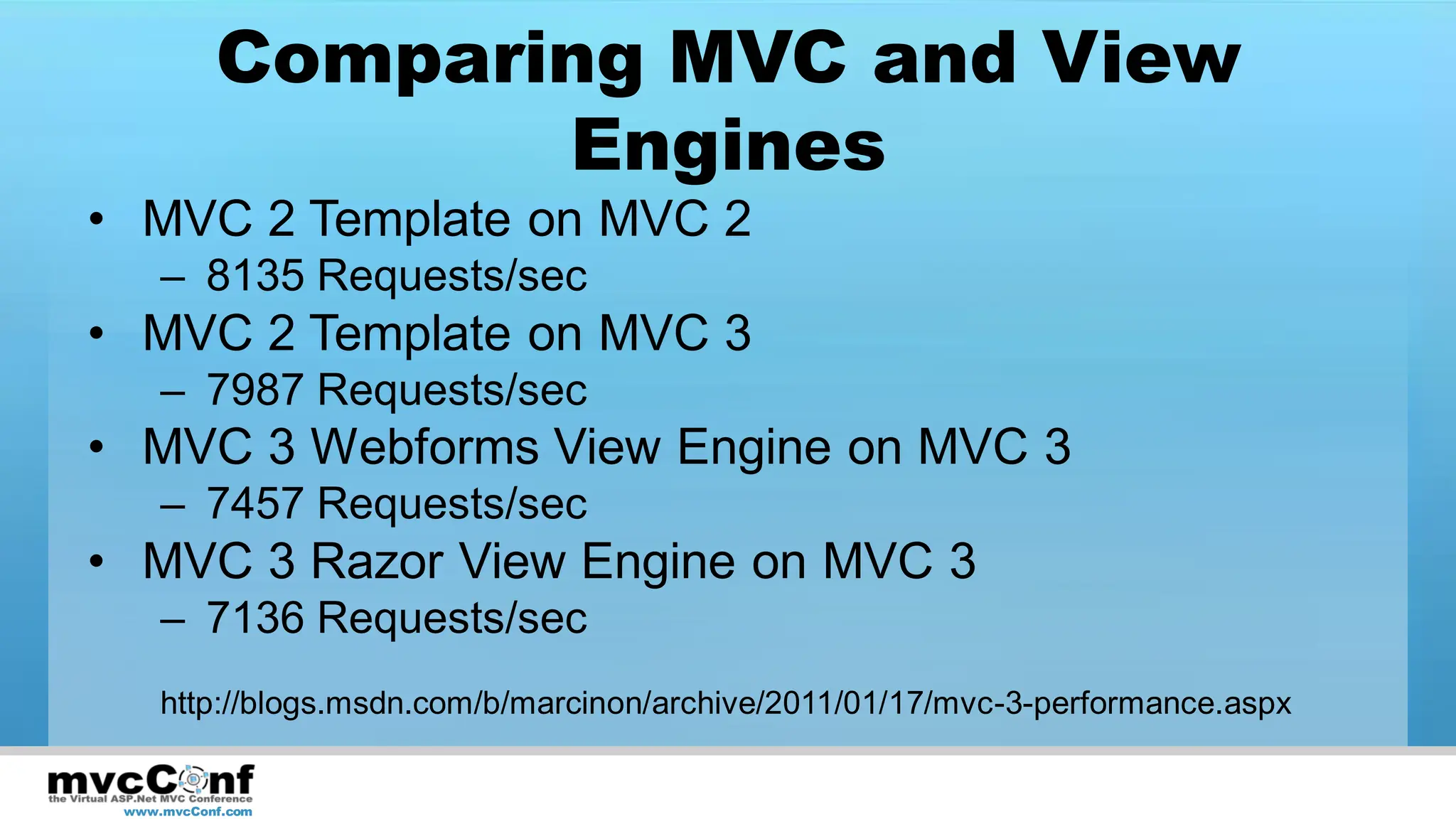
Comparing MVC and View
                  Engines
• MVC 2 Template on MVC 2
     – 8135 Requests/sec
• MVC 2 Template on MVC 3
     – 7987 Requests/sec
• MVC 3 Webforms View Engine on MVC 3
     – 7457 Requests/sec
• MVC 3 Razor View Engine on MVC 3
     – 7136 Requests/sec
     http://blogs.msdn.com/b/marcinon/archive/2011/01/17/mvc-3-performance.aspx


 www.mvcConf.com
MVC 3 Performance
• Unobtrusive client-side validation on by default
• Razor view engine imposes small cost over
  webforms view engine
• Performance improved for:
     –    Expression caching (lambdas)
     –    URL generation
     –    Action lookup
     –    Filter invocation

 www.mvcConf.com
MVC Gotchas
• Avoid HttpResponse.WriteSubstitution()
     – Contents may be incorrectly cached
     – http://haacked.com/archive/2008/11/05/donut-caching-in-asp.net-mvc.aspx
     – May work with MVC3 + ASPX; not supported; definitely not w/Razor


• RenderAction() Cache Bug
     – Calling an action with OutputCache attribute may
       result in entire page being cached
     – http://haacked.com/archive/2009/05/12/donut-hole-caching.aspx


 www.mvcConf.com
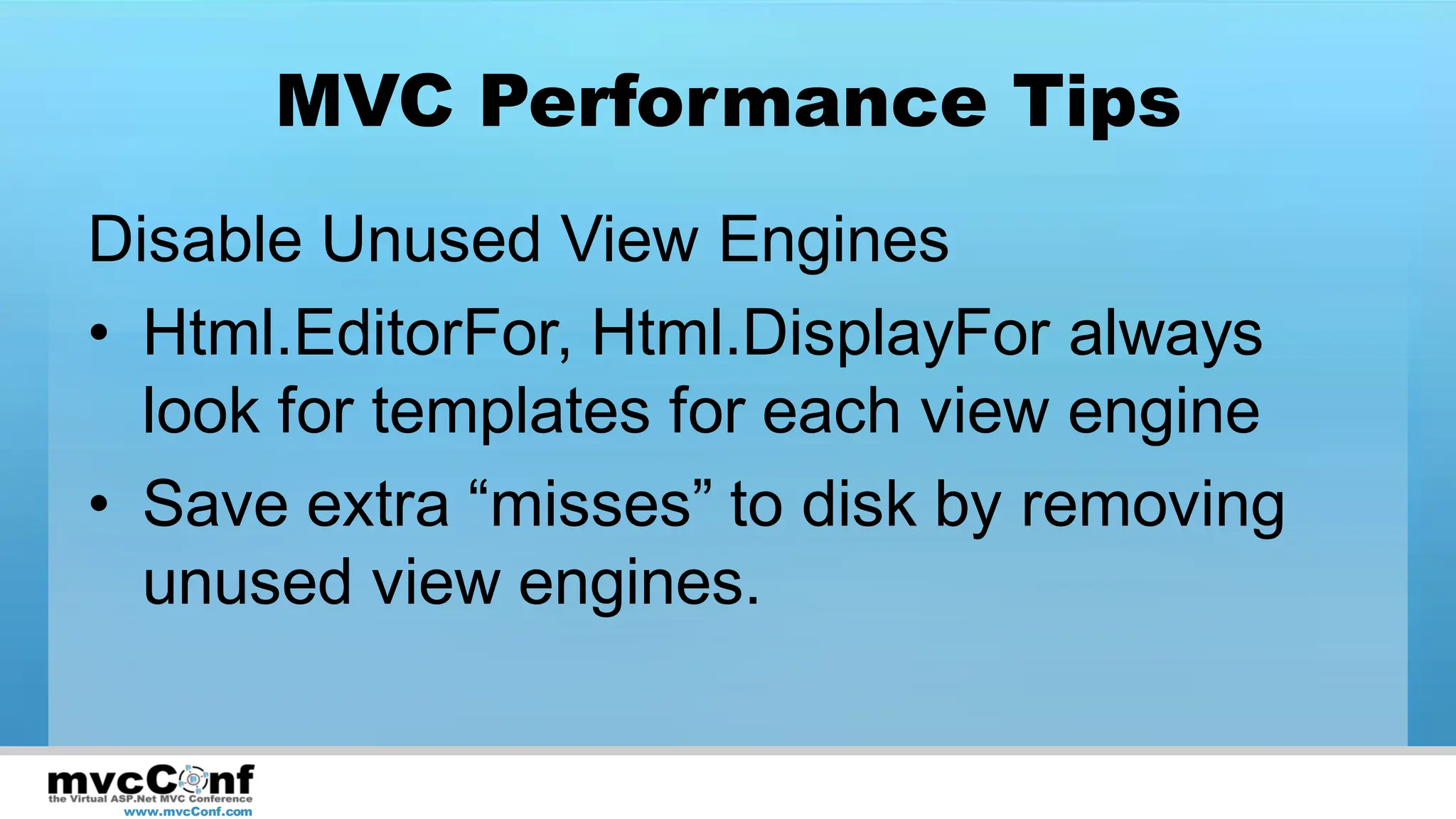
MVC Performance Tips
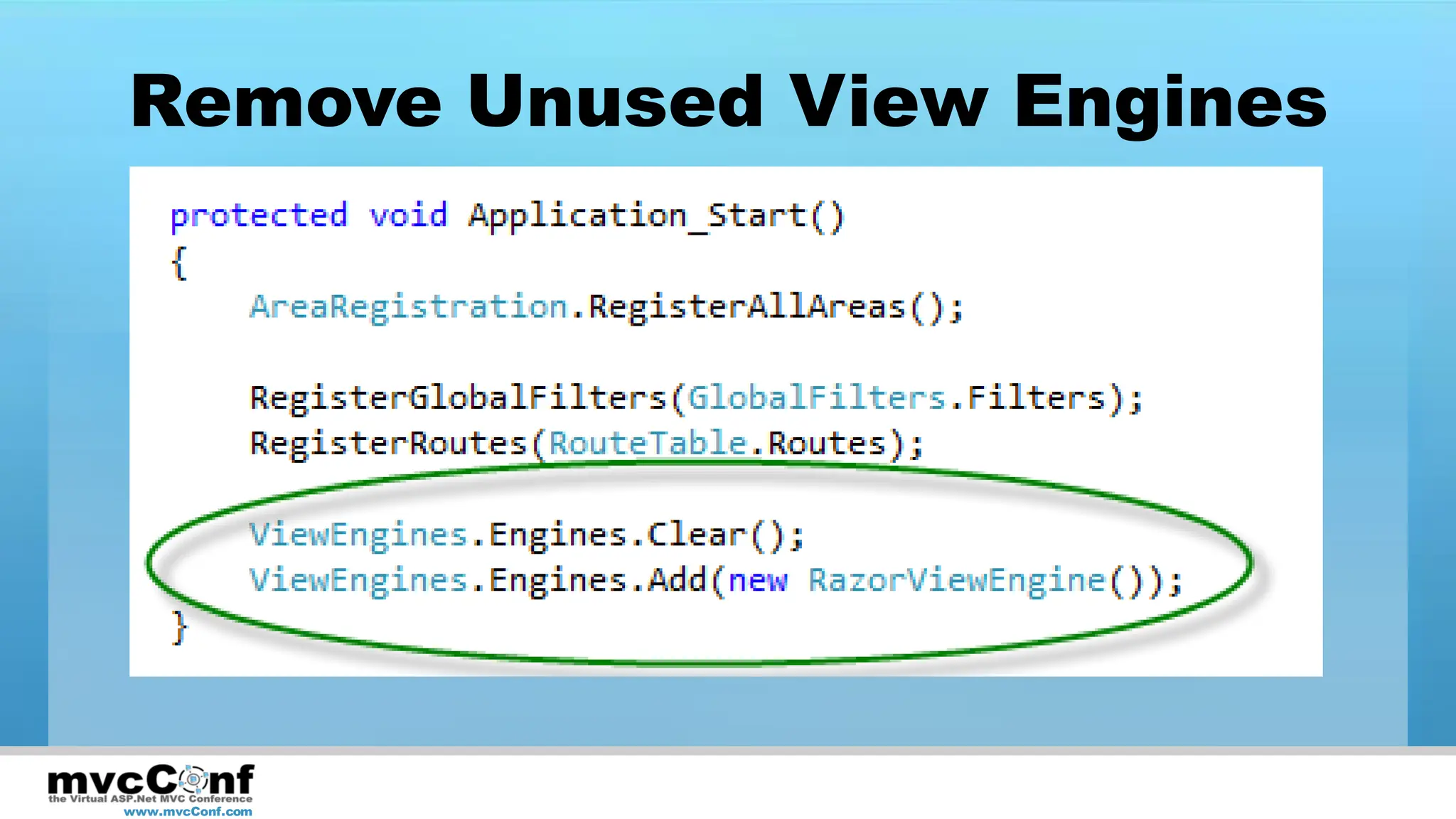
Disable Unused View Engines
• Html.EditorFor, Html.DisplayFor always
  look for templates for each view engine
• Save extra “misses” to disk by removing
  unused view engines.


 www.mvcConf.com
Remove Unused View Engines


www.mvcConf.com
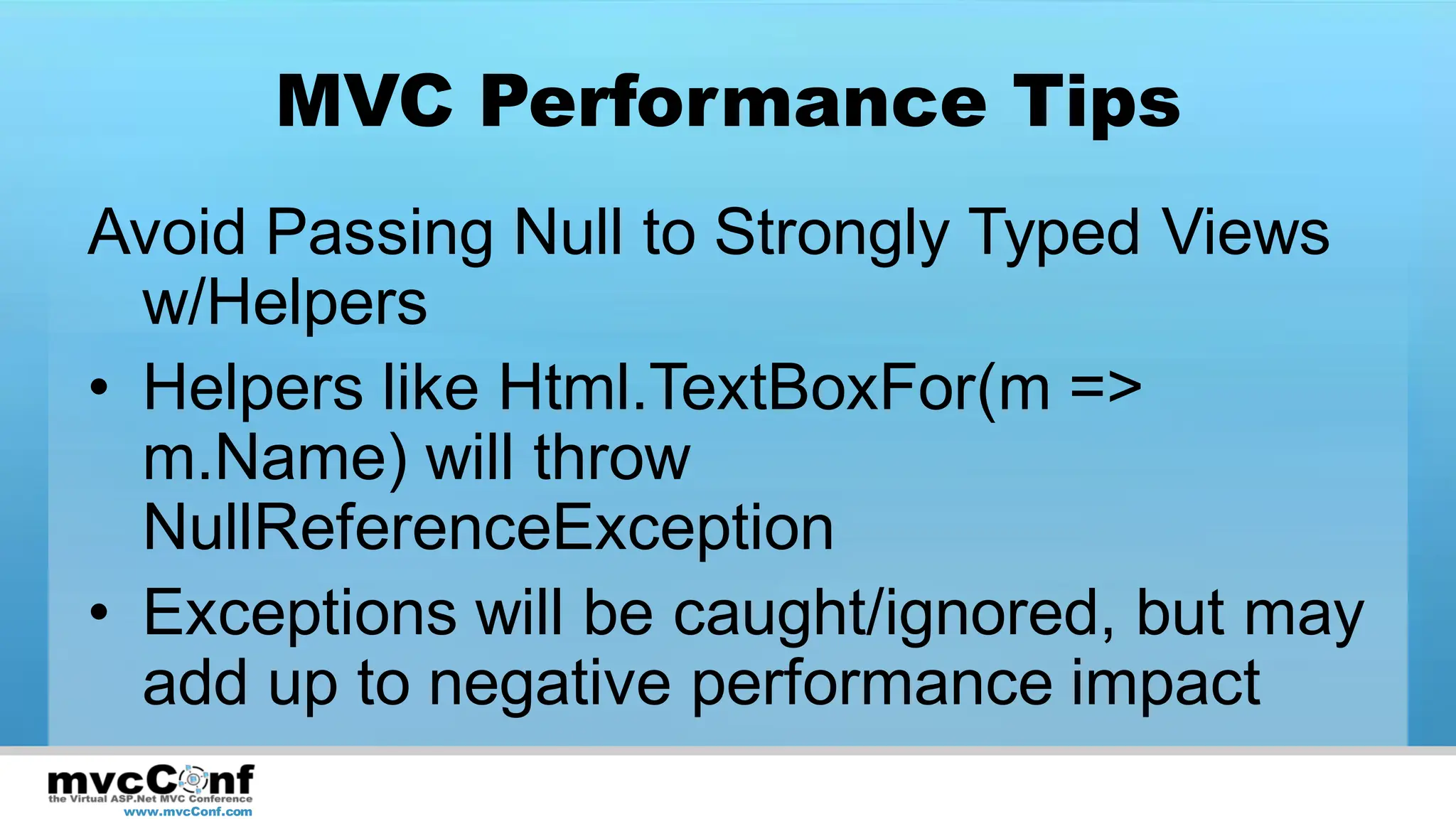
MVC Performance Tips
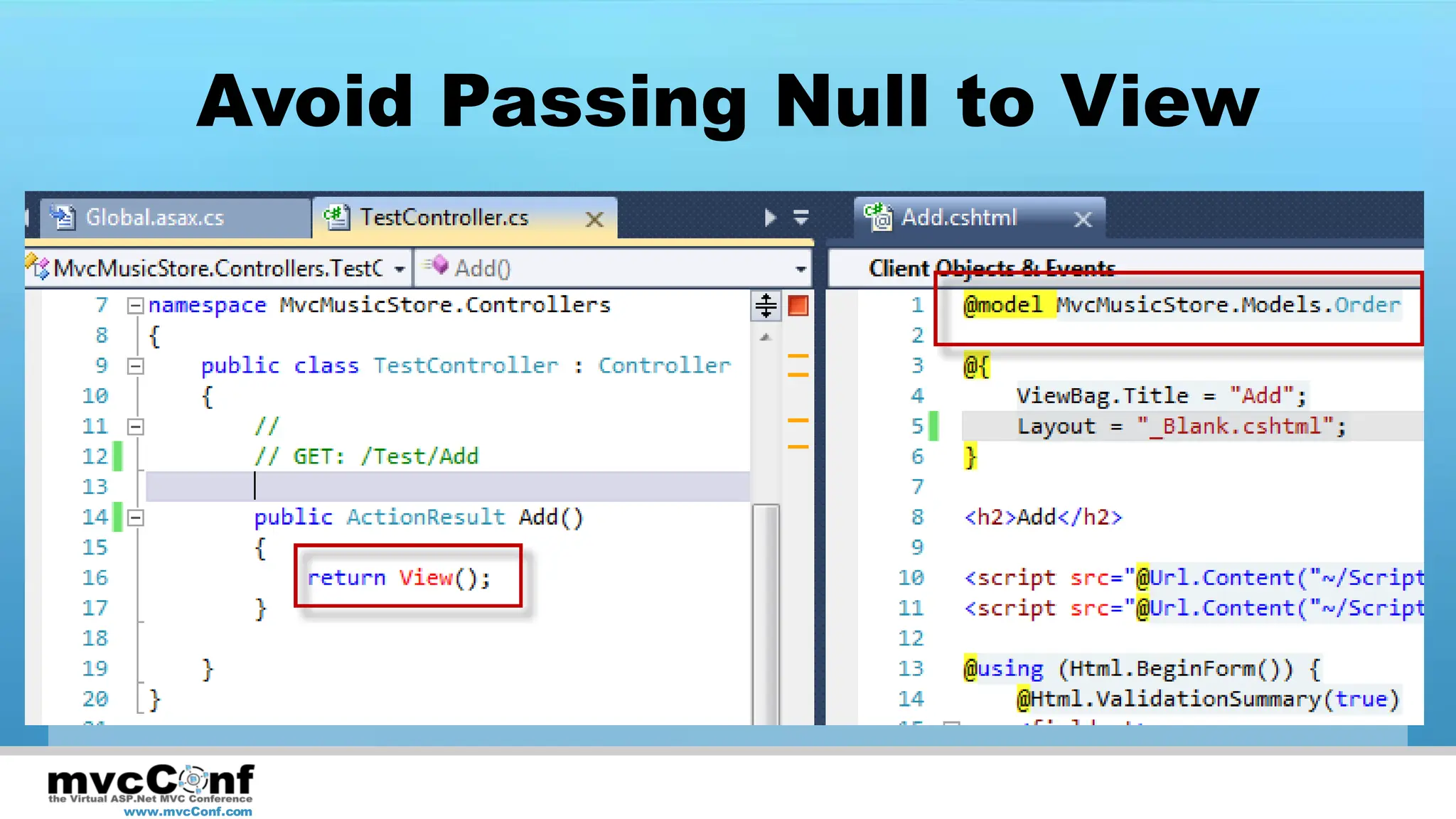
Avoid Passing Null to Strongly Typed Views
  w/Helpers
• Helpers like Html.TextBoxFor(m =>
  m.Name) will throw
  NullReferenceException
• Exceptions will be caught/ignored, but may
  add up to negative performance impact
 www.mvcConf.com
Avoid Passing Null to View


www.mvcConf.com
MVC Performance Tips
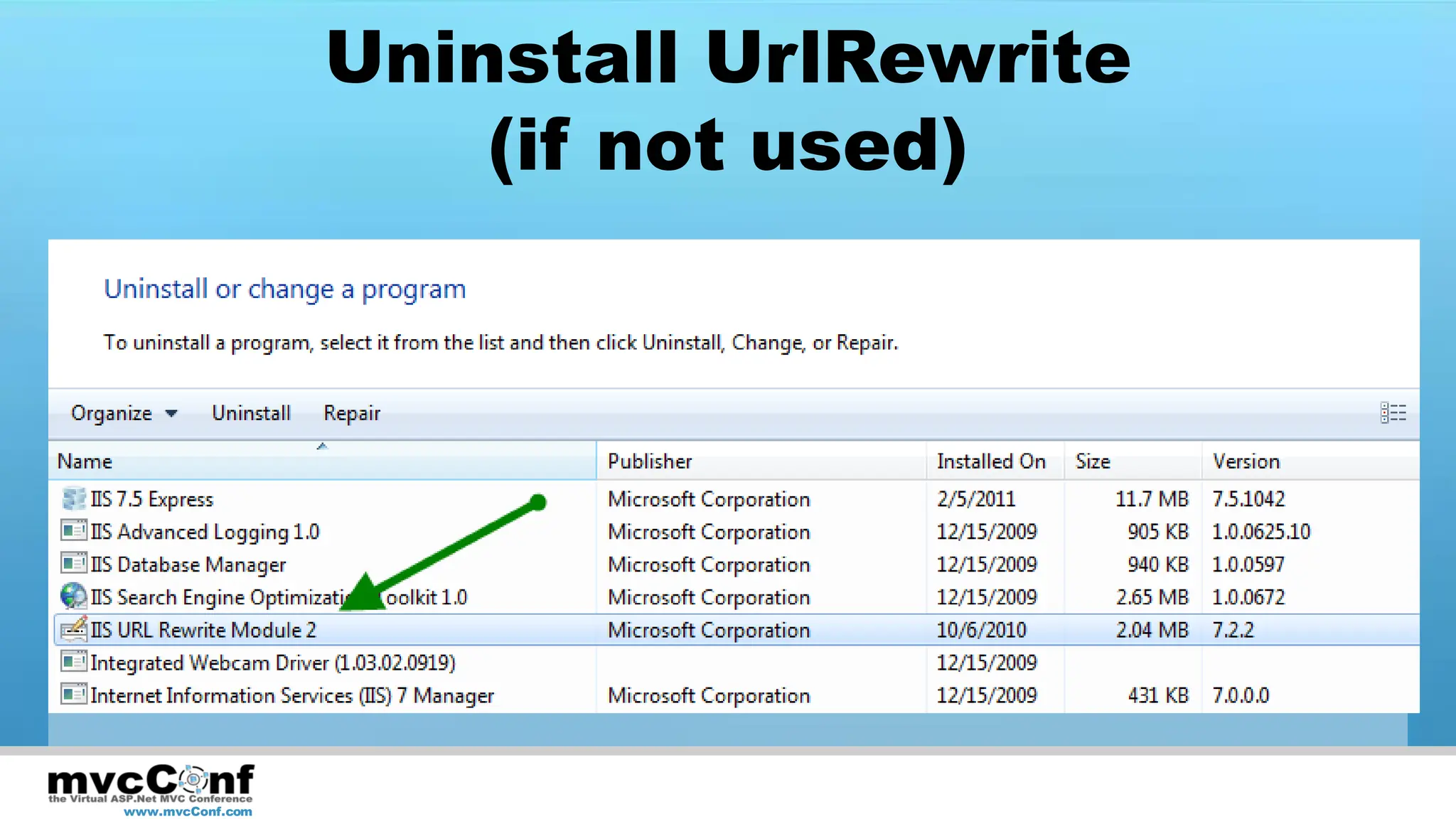
Uninstall IIS UrlRewrite Module
• If no applications on the server are using
  it
• No effect in MVC apps before v3
• Enhances speed of URL generation


 www.mvcConf.com
Uninstall UrlRewrite
                      (if not used)


www.mvcConf.com
Applying Performance Fixes

DEMO

www.mvcConf.com
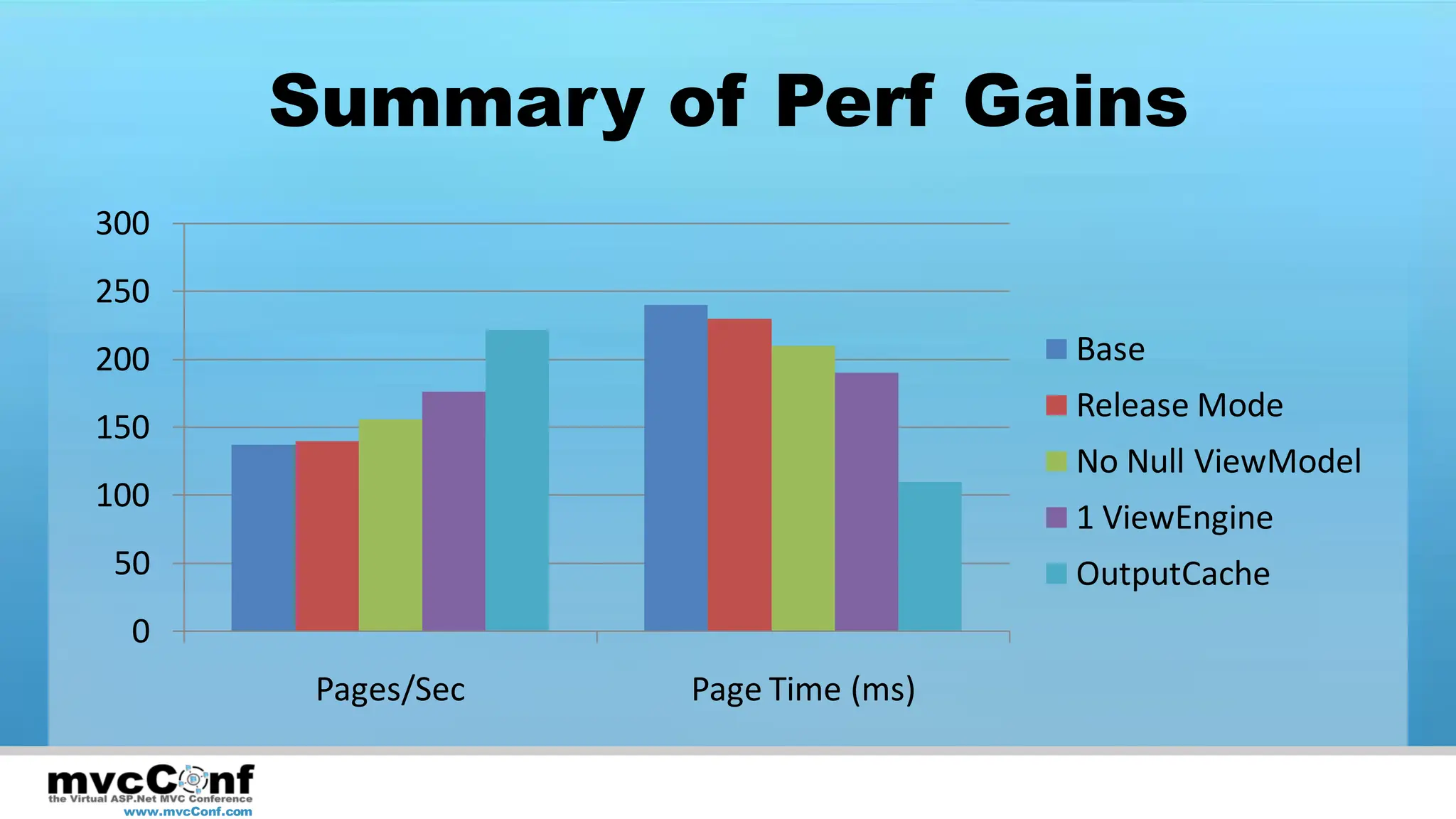
Summary of Perf Gains
300
250
200                                              Base
                                                 Release Mode
150
                                                 No Null ViewModel
100
                                                 1 ViewEngine
 50                                              OutputCache
  0
                    Pages/Sec   Page Time (ms)


 www.mvcConf.com
Summary
•     Set Goals – Don’t Optimize Prematurely
•     Measure and Tune Scientifically
•     Look for big wins first
•     Watch out for Gotchas and apply Tips


    www.mvcConf.com
References
•     http://blogs.msdn.com/b/marcinon/archive/2011/01/17/mvc-3-performance.aspx
•     http://blogs.msdn.com/b/marcinon/archive/2011/02/07/mvc-performance-tips.aspx
•     http://www.asp.net/mvc/tutorials/improving-performance-with-output-caching-cs
•     http://www.asp.net/mvc/tutorials/adding-dynamic-content-to-a-cached-page-cs
•     http://mvcmusicstore.codeplex.com/
•     http://isis.codeplex.com/


    www.mvcConf.com
Questions?
Tweet Your Questions to:
@ardalis How do I…? #mvcconf

Steve Smith
ssmith@lakequincy.com
SteveSmithBlog.com
Twitter: @ardalis

 www.mvcConf.com

Improving ASP.NET MVC Application Performance

  • 1.
    Improving ASP.NET MVC Application Performance Steve Smith The Code Project SteveSmithBlog.com | @ardalis www.mvcConf.com
  • 2.
    Defining Performance Metrics •Page Execution Time • Requests/Sec • TTLB www.mvcConf.com
  • 3.
    Defining Performance Requirements • A given web request (/Home/Index) • Must return within a given time (TTLB or Page Execution Time) • Under a given load (Requests/Sec + Active Users) • Given system characteristics (50k records) • Resource constraints (< 400 database server requests/sec) www.mvcConf.com
  • 4.
    Performance Requirement • /Home/Index •Must return within 1s Page Execution Time • Given 100 request/sec and base database • With < 200 database requests/sec www.mvcConf.com
  • 5.
    Measure Baseline • Record the Scenario • Set up the Load Test • Run the Test • Analyze the Results www.mvcConf.com
  • 6.
    Baseline Measurement: MVCMusic Store DEMO www.mvcConf.com
  • 7.
  • 8.
    Find the SlowestPages www.mvcConf.com
  • 9.
    Tuning a WebApplication Define Goal Meets Goal Measure System Stop Does Not Meet Goal Form Hypothesis; Change Only One Thing! Alter System www.mvcConf.com
  • 10.
    Most Common Performance Problems • Database – Too many queries – Queries Not Optimized • Network Requests – From Server to Services – From Browser to Web Server www.mvcConf.com
  • 11.
    Simple but Important •Be sure production DLLs are compiled in Release mode! • Isis.CodePlex.com (still alpha) www.mvcConf.com
  • 12.
    Caching • Output Caching – [OutputCache] attribute – Applies to • Action methods within Controller • Or Entire Controller www.mvcConf.com
  • 13.
    Identify Pages ToCache www.mvcConf.com
  • 14.
  • 15.
  • 16.
    Add Data Caching • Apply to Read operations • Use where Output Caching can’t be used • Consider applying at Repository level • Consider using Sql Cache Invalidation or short cache duration www.mvcConf.com
  • 17.
    What About Writes? •Avoid blocking on writes – Send messages – Use Async calls on server – Use Async/Ajax calls from client • Logically partition reads and writes – Command Query Responsibility Separation (CQRS) www.mvcConf.com
  • 18.
  • 19.
  • 20.
    What about Async? •Async Actions • AsyncController • Improves scalability • May improve performance www.mvcConf.com
  • 21.
    Comparing MVC andView Engines • MVC 2 Template on MVC 2 – 8135 Requests/sec • MVC 2 Template on MVC 3 – 7987 Requests/sec • MVC 3 Webforms View Engine on MVC 3 – 7457 Requests/sec • MVC 3 Razor View Engine on MVC 3 – 7136 Requests/sec http://blogs.msdn.com/b/marcinon/archive/2011/01/17/mvc-3-performance.aspx www.mvcConf.com
  • 22.
    MVC 3 Performance •Unobtrusive client-side validation on by default • Razor view engine imposes small cost over webforms view engine • Performance improved for: – Expression caching (lambdas) – URL generation – Action lookup – Filter invocation www.mvcConf.com
  • 23.
    MVC Gotchas • AvoidHttpResponse.WriteSubstitution() – Contents may be incorrectly cached – http://haacked.com/archive/2008/11/05/donut-caching-in-asp.net-mvc.aspx – May work with MVC3 + ASPX; not supported; definitely not w/Razor • RenderAction() Cache Bug – Calling an action with OutputCache attribute may result in entire page being cached – http://haacked.com/archive/2009/05/12/donut-hole-caching.aspx www.mvcConf.com
  • 24.
    MVC Performance Tips DisableUnused View Engines • Html.EditorFor, Html.DisplayFor always look for templates for each view engine • Save extra “misses” to disk by removing unused view engines. www.mvcConf.com
  • 25.
    Remove Unused ViewEngines www.mvcConf.com
  • 26.
    MVC Performance Tips AvoidPassing Null to Strongly Typed Views w/Helpers • Helpers like Html.TextBoxFor(m => m.Name) will throw NullReferenceException • Exceptions will be caught/ignored, but may add up to negative performance impact www.mvcConf.com
  • 27.
    Avoid Passing Nullto View www.mvcConf.com
  • 28.
    MVC Performance Tips UninstallIIS UrlRewrite Module • If no applications on the server are using it • No effect in MVC apps before v3 • Enhances speed of URL generation www.mvcConf.com
  • 29.
    Uninstall UrlRewrite (if not used) www.mvcConf.com
  • 30.
  • 31.
    Summary of PerfGains 300 250 200 Base Release Mode 150 No Null ViewModel 100 1 ViewEngine 50 OutputCache 0 Pages/Sec Page Time (ms) www.mvcConf.com
  • 32.
    Summary • Set Goals – Don’t Optimize Prematurely • Measure and Tune Scientifically • Look for big wins first • Watch out for Gotchas and apply Tips www.mvcConf.com
  • 33.
    References • http://blogs.msdn.com/b/marcinon/archive/2011/01/17/mvc-3-performance.aspx • http://blogs.msdn.com/b/marcinon/archive/2011/02/07/mvc-performance-tips.aspx • http://www.asp.net/mvc/tutorials/improving-performance-with-output-caching-cs • http://www.asp.net/mvc/tutorials/adding-dynamic-content-to-a-cached-page-cs • http://mvcmusicstore.codeplex.com/ • http://isis.codeplex.com/ www.mvcConf.com
  • 34.
    Questions? Tweet Your Questionsto: @ardalis How do I…? #mvcconf Steve Smith ssmith@lakequincy.com SteveSmithBlog.com Twitter: @ardalis www.mvcConf.com